The exam simulator offers features that are hard to find any exam
simulator offered by other vendors. The features like Simlets, and Router
Simulations are offered only by CertExams Exam Sim.
Important features supported by the Exam Sim are given below:
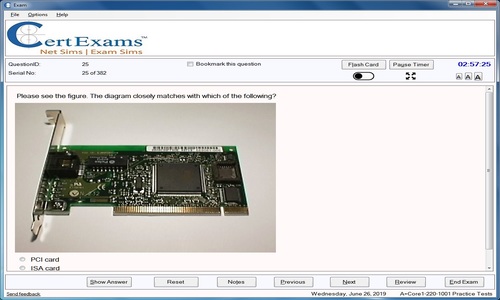
Learn mode - In this mode one can see the Flash cards, and correct/wrong
answers.
Exam mode - Here the candidate will be presented with a scenario
that is close to the actual exam environment.
Flash Cards - These will present a detailed explanation of the topic
covered in the question. Candidates should ensure that they read Flash
cards unless they are very familiar with the topic.
Question Feedback: A candidate may provide a feedback to us by using
the exam interface. The feature is very handy for getting clarified
about any ambiguous answer or sending feedback on any specific question
Score reports with category wise scoring: The simulator provides
detailed score reports which can be saved for later review. One will
also be able to take a test solely based on wrong answers, or bookmarked
questions.
Configuration: One will be able to configure the test, if required.
The customization options include randomization of questions/answers,
selecting number of questions for a given test, enable or disable Previous
or Review buttons, linear/adaptive scoring, etc.
Product Update: The software provides interface to check for any
updates at the click of a button.
Activation of Full version: Once a product is purchased, the full
version may be activated online using program interface immediately
after placing the order. The activation is automatic and requires minimal
input.
Integrated Test Environment: Candidates can view the available practice
tests from the parent frame, download the tests that are required, install,
buy, and activate the tests without leaving the program environment.
Question Types Supported by the Exam Simulators:
Multiple choice single answer, Multiple choice multi-answer, True/False
Exhibit based questions
Hot-spot questions
Drag-n-drop questions
Testlet questions - Two or more questions are asked based on a scenario
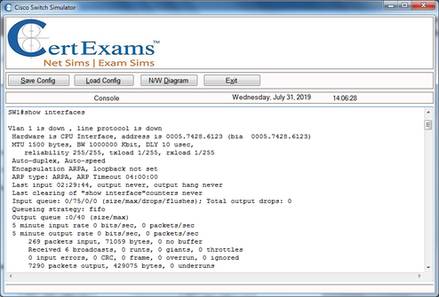
Simlet questions - Two or more questions are asked based on a scenario,
where the candidate is asked to type commands (such as show commands
for CCNA), and learn configuration details
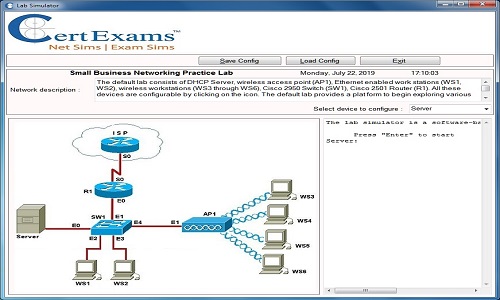
Router Simulation questions - Here the candidate is provided with
a scenario, and asked to fix the problem. The interface simulates that
of a Cisco IOS (for CCNA/CCENT/CCNP) or a JUNOS (for Juniper tests).
We use cookies to enhance your experience. By continuing to visit this site you agree to our use of cookies. More information